
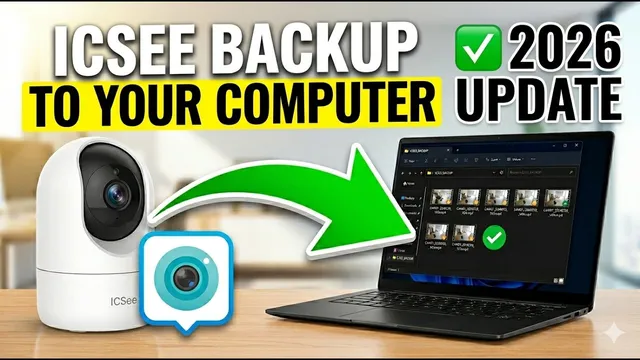
How to Download ICSee Recordings to PC: The 2 Best Methods (2026)
Описание SEC.RU
По нашему материалу и сохранённой расшифровке.
Руководство по скачиванию записей с камер ICSee на компьютер двумя способами: через приложение ICSee на мобильном устройстве и с помощью профессионального ПО VMS.
On the current version of the software, dates current version of the software, dates with available recordings are marked on with available recordings are marked on the calendar like you see here for the the calendar like you see here for the 18th.
In this video, we are going to show you exactly how to download recordings from exactly how to download recordings from your ICC cameras directly to your your ICC cameras directly to your computer.
Читать материал по расшифровке
Описание автора
⚠️ Your security camera might be exposed online without you knowing.
Check it now:
👉 https://youtu.be/sXe3rgLjE48
In this video, we show you exactly how to download recordings from your ICSee cameras directly to your computer. If you have ever tried to plug your camera's SD card into your PC and seen a message asking you to "Format the Drive," watch this before you do anything! Formatting will erase all your evidence.
We cover two safe methods that don't require removing the card from the camera, ensuring your data stays protected.
✅ *What you will learn in this video:*
* Why you should NEVER format your ICSee SD card on a PC.
* Method 1: Downloading via the ICSee App and transferring to PC.
* How to find the hidden ICSee video folder on Android (DCIM path).
* Method 2: Professional backup using VMS software.
* How to export recordings directly as MP4 files for easy viewing.
⏳ *Chapters*
0:00 Important Warning: Do NOT Format your SD Card!
0:35 Method 1: Using the ICSee App (Mobile to PC)
1:00 How to save ICSee videos to your phone gallery
1:25 Locating the ICSee folder and transferring via cable
1:44 Method 2: Using VMS Software (Professional Way)
2:15 Using the Playback menu and searching for dates
2:45 Downloading and converting files to MP4
3:20 Final results and verification
3:35 Professional Support and Subscription
🚀 SUBSCRIBE FOR MORE SECURITY TIPS:
https://www.youtube.com/@UedersonSecurityLab?sub_confirmation=1
🆘 NEED TECHNICAL ASSISTANCE?
We offer free support to our subscribers! Reach out to us here:
WhatsApp: https://wa.me/5524981690034
#ICSee #SecurityCamera #CCTV #VMS #TechTutorial #HomeSecurity #UedersonSecurityLab