
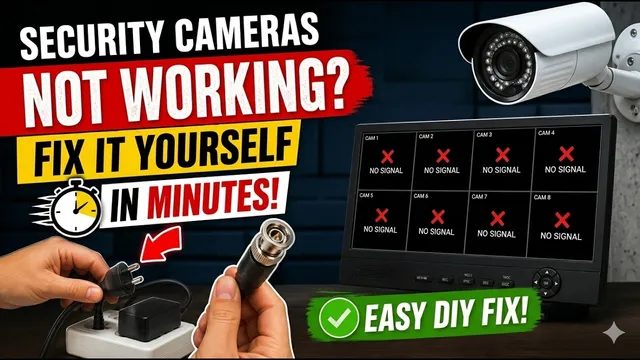
Security Cameras Not Working? Fix It Yourself in Minutes
Описание SEC.RU
По нашему материалу и сохранённой расшифровке.
Пошаговое руководство по диагностике и ремонту систем видеонаблюдения: от проверки блока питания до тестирования кабелей и ИК-подсветки. Без специальных инструментов.
You should use the working camera to test the use the working camera to test the cables of the cameras that are not cables of the cameras that are not working.
You should repeat these tests for every camera that is not tests for every camera that is not working, always using the good camera as working, always using the good camera as your tester.
Читать материал по расшифровке
Описание автора
⚠️ Your security camera might be exposed online without you knowing.
Check this video now:
👉 https://youtu.be/sXe3rgLjE48
Are your security cameras acting up? Whether you have a total system blackout or just one camera that won't display an image, this guide will help you identify and solve the problem without needing special tools or advanced technical knowledge.
✅ *What you will learn in this video:*
• How to diagnose a complete security system blackout.
• How to check power supplies and identify short circuits.
• How to test if a camera or the cable is faulty.
• How to verify DVR/XVR video ports.
• Troubleshooting infrared (IR) issues.
⏳ *Chapters*
0:00 Introduction
0:25 Checking power supply for total system failure
1:27 How to identify a short circuit
3:06 Checking compatibility and DVR settings
3:33 Troubleshooting individual cameras (at least one working)
3:51 Testing DVR video ports
4:53 Testing camera cables and infrared sensors
6:28 Conclusion and Support
Need professional help? We offer free technical support for our subscribers.
Subscribe here: https://www.youtube.com/@UedersonSecurityLab?sub_confirmation=1
Contact our support team via WhatsApp: https://wa.me/5524981690034
#CCTV #SecurityCameras #TechSupport #DIYRepair #SurveillanceSystem #UedersonSecurityLab