
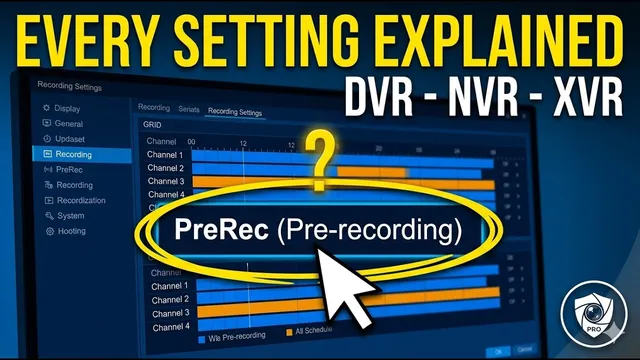
Xmeye DVR, XVR, NVR: Every Recording Menu Option Explained (Step-by-Step)
Описание SEC.RU
По нашему материалу и сохранённой расшифровке.
В статье разбираются настройки записи DVR, XVR и NVR: избыточность данных, предварительная запись, режимы и планирование записи.
Today, we are going to explain every single option are going to explain every single option on the DVR recording setting screen.
Whether you have a DVR, XVR, or NVR, Whether you have a DVR, XVR, or NVR, understanding these features is the only understanding these features is the only way to ensure your property is actually way to ensure your property is actually being protected.
Читать материал по расшифровке
Описание автора
⚠️ Your security camera might be exposed online without you knowing.
Check it now:
👉 https://youtu.be/sXe3rgLjE48
In this video, we provide a comprehensive breakdown of DVR recording settings to help you master your security system. Whether you are using a DVR, NVR, or XVR, understanding the configuration menu is vital for reliable surveillance. We explain the technical side of CCTV storage management in a way that is easy for anyone to understand.
*We cover essential features such as:*
* Redundancy: How to protect your footage from hard drive failure.
* Pre-Recording (PreRec): Why you need those extra seconds before an event.
* Recording Modes: The difference between Regular, Motion Detection (Detect), and Alarm recording.
* Scheduling: How to optimize your NVR storage by setting specific recording periods.
*Links Mentioned:*
* Free WhatsApp Support: https://wa.me/5524981690034
* Previous Video: https://youtu.be/iTwRv_GdWl8
If this guide helped you, please give us a thumbs up and subscribe for more tips!
👉 Subscribe here:
https://www.youtube.com/@UedersonSecurityLab?sub_confirmation=1
*Video Chapters:*0:00 - How to Access the DVR Main Menu
1:06 - Selecting Camera Channels
1:17 - Hard Drive Redundancy (Mirroring) Explained
1:54 - Video File Length Settings
2:11 - What is Pre-recording (PreRec)?
2:41 - Understanding Recording Modes: Stop, Manual, Schedule
3:18 - Recording Types: Regular, Detect, Alarm
3:45 - Creating a Custom Recording Schedule (Periods 1-4)
4:36 - Advanced Options: Copy, Paste, & Default
5:30 - DVR Storage Management & Disk Health