
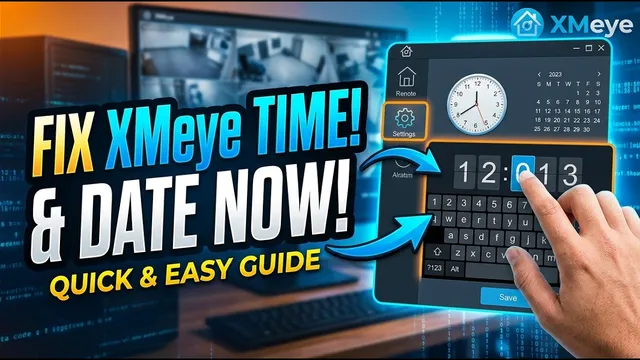
How to Set Date, Time & Timezone on XMeye (DVR / NVR / XVR)
Описание SEC.RU
По нашему материалу и сохранённой расшифровке.
Пошаговая инструкция по настройке даты, времени и часового пояса на устройствах XMeye (DVR, NVR, XVR, IP-камеры) для точных временных меток и быстрого поиска записей.
Today, we are going to show you step-by-step how to adjust the date you step-by-step how to adjust the date and time on your XME security system, and time on your XME security system, ensuring your footage is always ensuring your footage is always organized and easy to find when you need organized and easy to find when you need it most.
Now, let us fix the actual date and time if they are the actual date and time if they are inaccurate.
Читать материал по расшифровке
Описание автора
How to Fix Wrong Date & Time on XMeye DVR / NVR (Step-by-Step)
Is your XMeye security system showing the wrong date or timestamp? Having accurate date and time settings on your XMeye DVR, NVR, XVR, or IP camera is essential for finding recordings quickly during playback search. In this step-by-step tutorial, you will learn how to access the XMeye main menu, navigate to general settings, set your local time zone, and accurately adjust the date and time.
✅ *What you will learn in this video:*
- Why accurate timestamps are critical for security camera footage retrieval
- How to access the XMeye Main Menu and unlock it with your password
- How to navigate to System - General configuration settings
- How to select the correct Time Zone and preferred Date Format
- Step-by-step guide to updating the day, month, year, hour, and minute
- How to save your settings so your CCTV clock stays perfectly synchronized
⏳ *Chapters*
00:00 How to Fix Wrong Date & Time on XMeye
00:26 Applicable Devices (DVR, NVR, XVR & IP Cameras)
00:46 Accessing Main Menu & Password Login
01:11 Navigating to System & General Settings
01:21 Adjusting Time Zone & Date Format
01:31 Changing Date & Time (Step-by-Step)
01:57 Saving Changes & Synchronization
02:12 Subscribe for More XMeye Tutorials
🔔 Subscribe to Uederson Security Lab for more CCTV tutorials and tech tips:
https://www.youtube.com/@UedersonSecurityLab?sub_confirmation=1
📲 Need technical support or customized security assistance? Contact us on WhatsApp:
https://wa.me/5524981690034
#XMeye #SecurityCamera #DVR #NVR #CCTV #SecuritySystem #UedersonSecurityLab