
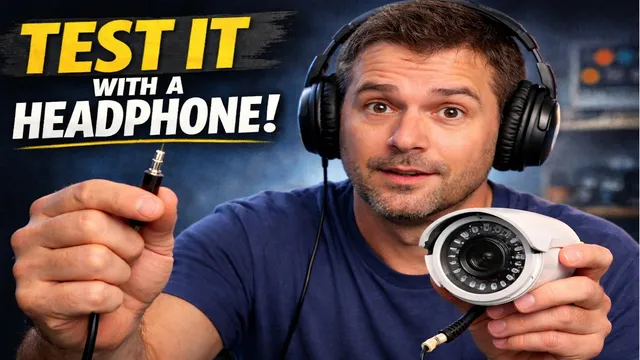
How to Test a Security Camera with Headphones (No Tools Needed!)
Описание SEC.RU
По нашему материалу и сохранённой расшифровке.
Узнайте, как проверить неработающую камеру видеонаблюдения с помощью простых предметов, включая наушники, чтобы определить, в камере ли проблема или в других компонентах системы.
In this video, we'll show you how to test a security camera show you how to test a security camera using simple items you probably already using simple items you probably already have at home.
We can test this by touching the tip of our headphones to touching the tip of our headphones to the center hole of the camera's the center hole of the camera's connector while making sure the next connector while making sure the next metal ring of the headphone jack touches metal ring of the headphone jack touches the outer metal casing of the connector.
Читать материал по расшифровке
Описание автора
⚠️ Your security camera might be exposed online without you knowing.
Check it now:
👉 https://youtu.be/sXe3rgLjE48
Is your security camera showing "No Signal" or a black screen? Don't buy a replacement yet! In this video, we reveal a pro-level "hidden" trick to troubleshoot your CCTV system using nothing but a pair of common headphones.
Many people waste money replacing perfectly good cameras when the issue is actually the power supply or the cabling. We are going to show you how to listen to your video signal and verify if your camera is truly dead or just "sleeping."
*Are you asking yourself these questions?*
* How do I know if my security camera is burnt out?
* Why is my CCTV camera not showing any image?
* How to test a BNC camera without a monitor?
* How to check if a security camera has power?
*What you will learn in this guide:*
* The 5-second "Finger Test" to check Infrared (IR) LEDs.
* How to use an Android phone to see invisible light.
* The "Click Test": Understanding the IR-Cut filter.
* The Headphone Hack: How to hear your video signal.
* The "Short-Circuit" bypass to test your DVR input directly.
🛠️ *NEED PROFESSIONAL HELP?*
If you're stuck or your camera still won't work, don't worry! Reach out to our free support team. We are here to help you get your system back online.
👉 Chat with us on WhatsApp: https://wa.me/5524981690034
✅ Subscribe for more DIY Security Tips: https://www.youtube.com/@UedersonSecurityLab
#CCTVRepair #SecurityCamera #DIYHomeSecurity #TechHacks #Troubleshooting #CCTVVideoSignal #homesecuritytips
0:00 Why you shouldn't throw away your "broken" camera
0:35 Tools you need (No multimeter required!)
1:13 How to find a compatible 12V power supply
2:08 The Infrared (IR) Sensor Test: Is it getting power?
2:38 Using your Smartphone to see Infrared light
3:10 Testing the IR-Cut Filter (The "Click" Sound)
3:51THE HACK: How to test video signal with headphones
4:48 How to hear the video signal "tone"
5:05 Connecting the camera directly to the DVR
5:33 Cable vs. Camera: Identifying the real culprit
6:10 Troubleshooting IP and PoE cameras (Preview)