
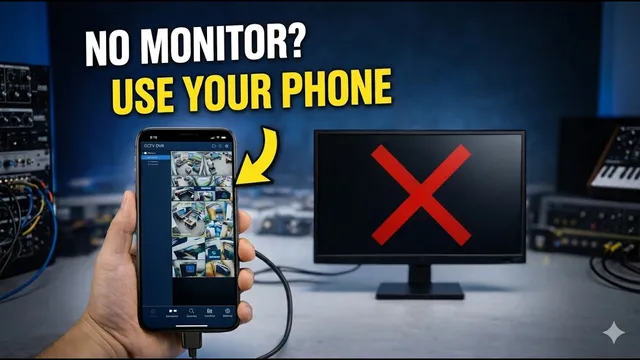
NO MONITOR? Use Your Phone as a Portable Screen for ANY Device!
Описание SEC.RU
По нашему материалу и сохранённой расшифровке.
Как превратить смартфон в экран для DVR, ПК, игровых консолей и других устройств с помощью OTG-адаптеров и карт захвата USB. Необходимое оборудование и пошаговая инструкция.
And for even older devices that use And for even older devices that use component video, you can also use a component video, you can also use a component to HDMI converter.
You can use your phone as a screen for almost any device.
Читать материал по расшифровке
Описание автора
⚠️ Your security camera might be exposed online without you knowing.
Check it now:
👉 https://youtu.be/sXe3rgLjE48
No TV? No Monitor? No Problem! In this video, I show you how to turn your smartphone into a high-quality portable display for almost any device. This is the perfect solution for technicians, gamers, or anyone who needs a quick and cheap screen on the go.
✅ *What you will learn in this video:*
* How to use your phone as a monitor for DVRs, PCs, and Gaming Consoles.
* The essential hardware: OTG adapters and USB Capture Cards.
* Setting up external camera apps on Android and iPhone.
* Solutions for older devices (VGA and Component to HDMI).
* Practical use cases for fieldwork and troubleshooting.
⏳ *Chapters*
0:00 Use your phone as a screen for any device
0:38 Essential hardware: OTG, Capture Card, and HDMI
1:01 Choosing the right app for Android and iPhone
1:24 Step-by-step: Connecting the DVR to your phone
1:51 How to use older devices (VGA/Component adapters)
2:08 Final results and practical applications
2:26 How will you use this? Comment below!
📌 *Links & Support*
👉 Subscribe for more tech tips: https://www.youtube.com/@UedersonSecurityLab?sub_confirmation=1
👉 Need technical support? Contact us on WhatsApp: https://wa.me/5524981690034
#TechHacks #PortableMonitor #CCTV #GamingTips #AndroidHack #SmartphoneDisplay #UedersonSecurityLab