
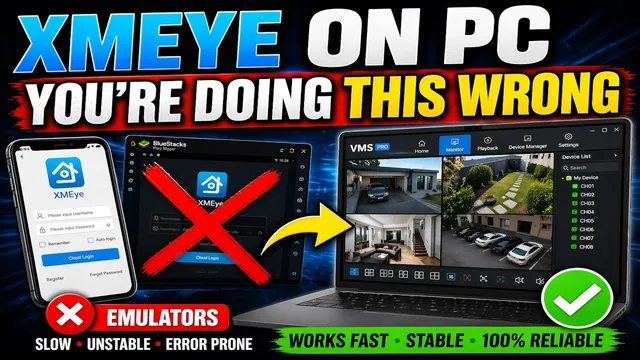
XMeye PC Login: How to Sync Your Mobile Account to Your Computer
Описание SEC.RU
По нашему материалу и сохранённой расшифровке.
Узнайте, как подключить камеры XMeye к ПК без эмуляторов: установка приложения, создание облачного аккаунта, добавление устройства по QR-коду, установка VMS и устранение ошибок.
On the login screen, click cloud account login so you can sync your mobile login so you can sync your mobile account.
This is our updated definitive guide on how to access your XME cameras, DVRs, how to access your XME cameras, DVRs, and NVRs on your computer without any and NVRs on your computer without any emulators.
Читать материал по расшифровке
Описание автора
⚠️ Your security camera might be exposed online without you knowing.
Check this video now:
👉 https://youtu.be/sXe3rgLjE48
How to access XMeye devices on your computer without using heavy emulators like BlueStacks. This is the updated 2026 guide to help you set up the VMS software, sync your cloud account, and fix common login errors.
✅ *What you will learn in this video:*
* How to create a mandatory XMeye Cloud Account.
* Step-by-step mobile pairing (Android & iPhone).
* Downloading and installing the correct VMS software version.
* Syncing your phone cameras to your PC automatically.
* Troubleshooting "Password Error" and connection status.
* Setting up sub-streams for better performance.
⏳ *Chapters*
0:00 Intro: Accessing XMeye on PC without Emulators
0:24 Mobile Setup: Installing XMeye App
1:03 Creating a Cloud Account (Mandatory Step)
2:08 Adding your DVR/NVR via QR Code
3:03 Testing the Mobile Connection
3:25 Downloading and Installing VMS for PC
4:25 Syncing your Cloud Account to VMS
4:53 Viewing Cameras on the Monitor Tab
5:07 Troubleshooting: Fixing Password & Connection Errors
5:30 Grid Layout and Sub-Stream Settings
5:55 Support and Upcoming Cloud Recording Tutorial
🔗 SUBSCRIBE FOR MORE SECURITY TIPS:
https://www.youtube.com/@UedersonSecurityLab?sub_confirmation=1
📥 DOWNLOAD THE VMS SOFTWARE:
To get the safe, reliable, and most up-to-date version of the VMS software, please contact our technical support directly via WhatsApp. The program is free for all our subscribers! Just send us a message to receive the direct link. We are also available to assist you if you encounter any difficulties during the installation process.
🆘 NEED TECHNICAL SUPPORT?
We offer free support for our subscribers! Contact us here:
WhatsApp: https://wa.me/5524981690034
#XMeye #SecurityCameras #VMS #CCTV #XMeyePC #HomeSecurity #Surveillance #UedersonSecurityLab