
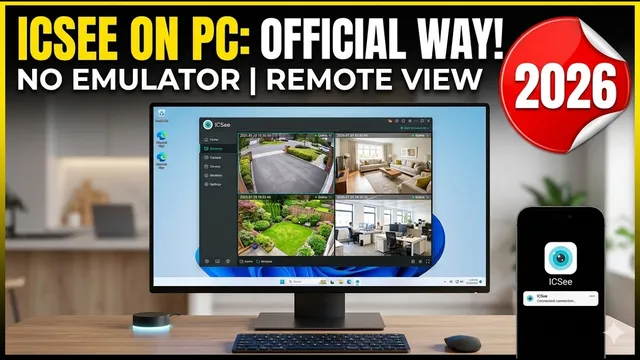
How to View ICSee Cameras on PC WITHOUT Emulators (Updated 2026)
Описание SEC.RU
По нашему материалу и сохранённой расшифровке.
Официальный способ просмотра камер ICSee на компьютере без эмуляторов: установка VMS и подключение по P2P Cloud ID. Пошаговая инструкция для Windows и Mac.
In this video, we are going to show you how to view IC cameras on your computer how to view IC cameras on your computer without using any Android emulators.
There are two main ways to add a camera, using are two main ways to add a camera, using the IP address or the cloud ID, which is the IP address or the cloud ID, which is also known as the P2P serial number.
Читать материал по расшифровке
Описание автора
⚠️ Your security camera might be exposed online without you knowing.
Check it now:
👉 https://youtu.be/sXe3rgLjE48
Stop struggling with slow Android emulators! In this video, I’ll show you the official way to access your ICSee cameras on any PC or Laptop using the official VMS software.
Are you tired of your ICSee camera showing as "offline" on your computer? In this updated 2026 guide, we walk you through the entire process of installing and configuring the official ICSee VMS software for Windows and Mac. You will learn how to connect your cameras using the P2P Cloud ID method, allowing you to monitor your security from anywhere in the world without needing a phone.
*What you will learn in this video:*
* Where to download the official ICSee VMS software safely.
* How to install and bypass common connection errors.
* The difference between IP access and P2P Cloud ID (Remote Viewing).
* How to find your Camera Serial Number and Password inside the ICSee App.
* Tips for faster streaming and full-screen monitoring.
*Chapters:*
0:00 Introduction: ICSee on PC without Emulators
0:28 Downloading the Official VMS Software
1:02 Safety Check & Installation Process
1:34 First Login: Default Credentials
1:50 Manual vs. Automatic Device Setup
2:15 IP Method vs. P2P Cloud ID (Remote Access)
2:54 How to Edit and Fix "Unreachable" Cameras
3:33 Adding Cameras Manually using Cloud ID
3:50 Finding Serial Number & Password in ICSee App
4:38 How to Reset ICSee Camera Password
5:08 Connecting and Status Online
5:26 Live Feed Settings & Extra Stream Tip
5:41 Troubleshooting & Technical Support
*Video showing how to access ICSee cameras on a smartphone:*
https://youtu.be/DU4Zzz6AaaQ
*Link for the software:*
We are not leaving the direct link to download the software because we can't give you any guarantee about its security. But we have a secure and 100% clean updated copy. You can contact our support WhatsApp to get it.
*Our Free Technical Support via WhatsApp:*
https://wa.me/5524981690034
If this guide helped you, please give us a thumbs up and subscribe for more ICSee tips!
👉 Subscribe here:
https://www.youtube.com/@UedersonSecurityLab?sub_confirmation=1
#ICSee #CCTV #SecurityCamera #VMS #HomeSecurity #Surveillance #UedersonSecurityLab