
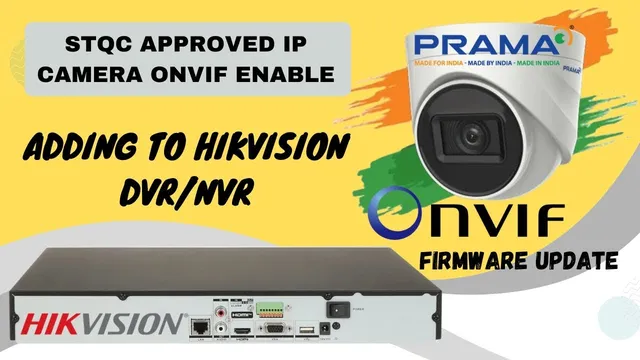
Prama IP Camera (STQC) ONVIF Setup with Hikvision NVR/DVR | Full Step-by-Step Guide
Описание SEC.RU
По нашему материалу и сохранённой расшифровке.
Пошаговое руководство: установка Prama ODDT Tool, активация камеры, обновление прошивки, настройка фиксированного IP, включение ONVIF с MD5/SHA256, создание учетной записи ONVIF и добавление камеры в Hikvision NVR/DVR через быстрое…
Many users face difficulty when trying Many users face difficulty when trying to connect Proma or third-party cameras to connect Proma or third-party cameras with Hikvision recorders, so this with Hikvision recorders, so this step-by-step tutorial will guide you step-by-step tutorial will guide you easily.
To integrate a Proma camera with ONVIF To integrate a Proma camera with ONVIF enabled into your Hikvision DVR or NVR, enabled into your Hikvision DVR or NVR, you can do this either through the web you can do this either through the web browser interface or directly via the browser interface or directly via the monitor connected to the device.
Читать материал по расшифровке
Описание автора
Welcome back to TECH LOGICS! In this detailed tutorial, we show you how to enable ONVIF on Prama STQC IP Camera and successfully add it to Hikvision NVR or DVR — solving one of the most common issues faced by users.
🔧 What You'll Learn:
Install & use Prama ODDT Tool (Hikvision SADP won’t detect Prama cameras)
Activate Prama camera via web browser (Chrome/Edge)
Upgrade firmware safely (V5.8.5 or below → Latest)
Set fixed IP address for stable connection
Enable ONVIF protocol with secure MD5/SHA256 digest authentication
Create ONVIF user account (Admin level)
Add Prama camera to Hikvision NVR/DVR via Quick Add or Manual ONVIF
⚠️ Important Notes:
Use model-specific firmware only (wrong firmware can damage the camera)
Download firmware from Prama India Support or links in description
Always disable DHCP and set static IP for surveillance cameras
Secure RTSP & HTTPS with MD5/SHA256 to prevent unauthorized access
📥 Tools Needed:
Prama ODDT Tool : https://techlogics.net/easy-guide-to-setting-up-prama-stqc-approved-ip-cameras-with-the-oddt-tool/
Web Plugin (for browser access) : https://techlogics.net/how-to-install-the-prama-web-plugin-for-seamless-cctv-live-feeds-and-advanced-features/
Latest firmware for STQC model : https://techlogics.net/seamless-integration-connect-your-prama-ip-camera-to-a-hikvision-nvr-dvr-with-onvif/
💡 Like, Share & Subscribe to TECH LOGICS for more CCTV setup guides, NVR troubleshooting, and IP camera tips!
#PramaCamera #HikvisionNVR #ONVIFSetup #IPCamera #CCTVTutorial