
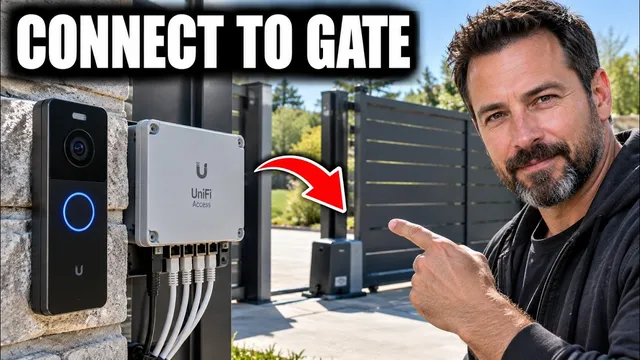
How to Connect Ubiquiti G6 Entry to a PoE Gate
Описание SEC.RU
По нашему материалу и сохранённой расшифровке.
Пошаговое руководство по подключению Ubiquiti G6 Entry к воротам с PoE: схема с UniFi Gate Hub, настройка UniFi Access и Protect, проверка привода и тестирование.
In this video, I'll show you how to connect the UniFi G6 entry to a PoE connect the UniFi G6 entry to a PoE gate, wire it correctly through the gate gate, wire it correctly through the gate hub, configure UniFi access, and make hub, configure UniFi access, and make sure the gate opens reliably.
The correct layout is the G6 entry connected by Ethernet to a the G6 entry connected by Ethernet to a UniFi access gate hub, and the gate hub UniFi access gate hub, and the gate hub connected to the low-voltage control connected to the low-voltage control terminals on the gate operator.
Читать материал по расшифровке
Описание автора
How to Connect Ubiquiti G6 Entry to a PoE Gate is a complete step-by-step guide for setting up the UniFi G6 Entry with a UniFi Access Gate Hub and a compatible powered gate opener.
This video explains how to connect the Ubiquiti G6 Entry correctly, how the PoE connection works, where the UniFi Gate Hub fits into the system, and how to configure the device inside UniFi Protect and UniFi Access. If you are installing a G6 Entry at a driveway gate, sliding gate, swing gate, barrier gate, or another supported gate operator, this guide walks through the important parts of the setup in a clear and practical way.
You will learn how to prepare the UniFi Access system, connect the Gate Hub to the network, connect the G6 Entry using Ethernet and PoE, adopt the G6 Entry in UniFi Protect, pair it with the correct gate in UniFi Access, and configure the gate operator so an authorized access event can trigger the gate correctly.
The video also explains an important difference between connecting the G6 Entry to a regular PoE network switch and connecting it directly to a UniFi Access Control Hub. This is especially useful if your G6 Entry has power and live video but does not unlock the gate when you use an NFC credential, mobile access, Face Unlock, Touch Pass, or another supported UniFi Access method.
You will also see what to check when the G6 Entry is not detected, when the Gate Hub does not appear in UniFi Access, when the reader has power but cannot control the gate, when the relay activates but the gate does not move, or when the gate opens but does not close correctly.
Topics covered include Ubiquiti G6 Entry installation, G6 Entry PoE setup, UniFi Gate Hub setup, UniFi Access configuration, UniFi Protect adoption, Ethernet wiring, gate operator relay wiring, access reader pairing, gate opening configuration, PoE troubleshooting, G6 Entry troubleshooting, Gate Hub troubleshooting, and testing the complete UniFi gate access control system.
This guide is useful for anyone searching for how to install Ubiquiti G6 Entry, how to connect G6 Entry to Gate Hub, how to set up UniFi Access for a gate, how to wire UniFi Gate Hub, how to connect UniFi Access to a gate opener, how to power G6 Entry with PoE, or how to fix a G6 Entry that will not unlock a gate.
Disclaimer:
This video is provided for educational and informational purposes only. Gate operators, access control equipment, electrical wiring, PoE equipment, relays, safety sensors, and installation requirements can vary by manufacturer and location. Always follow the official installation manuals for your specific Ubiquiti equipment and gate operator. Disconnect power before performing wiring where required, and use a qualified installer or licensed professional when local regulations or the installation require one. Never bypass gate safety sensors, entrapment protection devices, or other required safety systems. The creator is not responsible for equipment damage, property damage, injury, data loss, or other problems resulting from improper installation or use. This video is not sponsored by, endorsed by, or officially affiliated with Ubiquiti unless specifically stated otherwise.
#Ubiquiti #G6Entry #UniFiAccess