
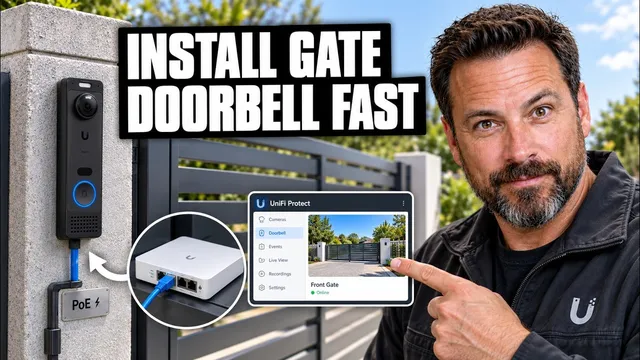
How to Install Ubiquiti G6 Entry PoE Doorbell at a Gate
Описание SEC.RU
По нашему материалу и сохранённой расшифровке.
Пошаговое руководство по установке и настройке дверного звонка Ubiquiti G6 Entry PoE для управления воротами. Описаны требования к оборудованию, процесс монтажа, подключения и настройки, а также устранение распространённых проблем.
In this video, I'll show you how to install the UniFi G6 Entry PoE doorbell install the UniFi G6 Entry PoE doorbell at a gate, connect it to UniFi Access, at a gate, connect it to UniFi Access, and make sure the camera, doorbell, and and make sure the camera, doorbell, and gate control all work correctly.
If the gate behaves correctly manually, If the gate behaves correctly manually, but not from UniFi Access, verify that but not from UniFi Access, verify that the G6 Entry, Gate Hub, and Gate are the G6 Entry, Gate Hub, and Gate are paired to the same entry point, and that paired to the same entry point, and that all devices are online.
Читать материал по расшифровке
Описание автора
Learn how to install the Ubiquiti G6 Entry PoE doorbell at a gate and configure it correctly with UniFi Access, UniFi Protect, and a compatible UniFi Access Control Hub. This step-by-step guide covers the complete Ubiquiti G6 Entry installation process, including choosing the correct mounting location, running Ethernet cable, providing PoE power, connecting the G6 Entry to a Gate Hub, adopting the device, configuring gate access, setting up doorbell calls, and testing the finished installation.
If you are installing a UniFi G6 Entry at a driveway gate, pedestrian gate, home entrance, or other outdoor access point, this video explains the important details you need to know before starting. You will learn how the G6 Entry works as both a UniFi Protect camera and a UniFi Access reader, how Power over Ethernet simplifies the installation, and why the correct hub connection is important when you want the G6 Entry to unlock or control a gate.
The video also explains how to install and configure a UniFi Access Gate Hub, how to connect the gate operator to the Access system, how to pair the G6 Entry with the correct gate, and how to verify that the reader, camera, doorbell, two-way audio, and gate control are working correctly.
You will also see what to check when the Ubiquiti G6 Entry does not power on, does not appear in UniFi Protect, does not communicate with UniFi Access, or successfully recognizes a credential but does not open the gate. Common problems with PoE power, Ethernet cabling, Access Control Hub connections, gate relay wiring, device adoption, firmware, pairing, and outdoor network connections are also covered.
This guide is useful for anyone searching for how to install Ubiquiti G6 Entry, how to set up UniFi G6 Entry, how to install a PoE doorbell at a gate, how to connect G6 Entry to UniFi Gate Hub, how to configure UniFi Access gate control, how to pair UniFi Access and UniFi Protect, or how to build a Ubiquiti gate access control system.
The Ubiquiti G6 Entry supports outdoor installation and combines a built-in camera, doorbell functionality, two-way audio, NFC access, mobile unlocking, and compatible smart access features. For gate unlocking functions, the G6 Entry needs to be adopted correctly and connected to a compatible UniFi Access Control Hub. Always verify compatibility with your specific gate operator before connecting control wiring.
DISCLAIMER
This video is provided for educational and informational purposes only. Gate operators, electrical equipment, access control systems, and powered gates can cause serious injury or equipment damage if installed or configured incorrectly. Always disconnect power before working on wiring and follow the official instructions provided by Ubiquiti and your gate operator manufacturer. Do not bypass photo eyes, safety edges, entrapment protection devices, emergency controls, or other required safety systems. Electrical work, high-voltage connections, and modifications to powered gate safety systems should be performed by a qualified professional when required by local laws or manufacturer instructions. Product features, software interfaces, firmware requirements, and compatibility may change over time. This video is not sponsored by, endorsed by, or affiliated with Ubiquiti unless specifically stated otherwise.