
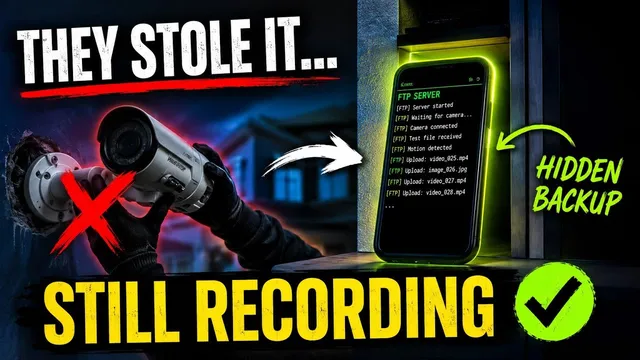
Turn Any Old Phone Into a Hidden Security Backup (Never Lose Footage)
Описание SEC.RU
По нашему материалу и сохранённой расшифровке.
Узнайте, как использовать любой старый смартфон в качестве скрытого FTP-сервера для автоматического резервного копирования записей с IP-камер, DVR и NVR. Пошаговая инструкция с Termux и Python.
In this video, we are going to show you how to turn an old phone into a remote how to turn an old phone into a remote recording server for security cameras, recording server for security cameras, DVRs, and NVRs of any brand.
We just turn the phone on, hide it somewhere turn the phone on, hide it somewhere safe, and it automatically saves all the safe, and it automatically saves all the recordings without us ever needing to recordings without us ever needing to press a single button.
Читать материал по расшифровке
Описание автора
🚨 Don't let thieves steal your security camera footage! In this step-by-step tutorial, discover how to turn any old, unused smartphone into a powerful, hidden 24/7 remote recording server for your IP cameras, DVRs, or NVRs using an FTP setup.
If someone takes your camera or your SD card fails, your recordings remain completely safe and hidden on your backup phone. This setup loops automatically, deleting old files to make room for new ones, acting just like a premium surveillance server for free!
✅ *What you will learn in this video:*
* How to repurpose an old smartphone into a dedicated security storage server.
* Why you should download Termux from the official site (and avoiding Play Store errors).
* The exact terminal commands to install Python and configure your local FTP framework.
* How to find your phone's internal IP address for camera pairing.
* Configuring IP cameras (like ICSee/VMS) to send motion-activated video and snapshots directly to your phone.
🔔 Subscribe for more smart security tricks and DIY tech guides:
https://www.youtube.com/@UedersonSecurityLab?sub_confirmation=1
💬 Stuck on a command or configuration step? Get in touch with our specialized support team right here:
https://wa.me/5524981690034
Script File:
https://drive.google.com/file/d/1G_nJIEiTqrqLKoYH7TbFv9ksH8IgCt74/view?usp=sharing
⏳ *Chapters*
0:00 - Turn an Old Phone into a Security Recording Server
0:41 - Preparing the Phone & Installing Termux Safely
1:35 - Setting Up Termux Storage & Updating Packages
2:16 - Installing Python and Pasting the FTP Script
3:08 - Finding Your Phone's Internal IP Address
3:32 - Configuring Your IP Camera, DVR, or NVR FTP Settings
4:58 - Enabling Motion Detection FTP Uploads
5:22 - Live Testing: Footage & Snapshot Verification
6:07 - Get Support, Like, and Subscribe!
#HomeSecurity #DIYTech #FTPServer #Termux #IPCamera #CCTVBackup #SmartHome #UedersonSecurityLab