
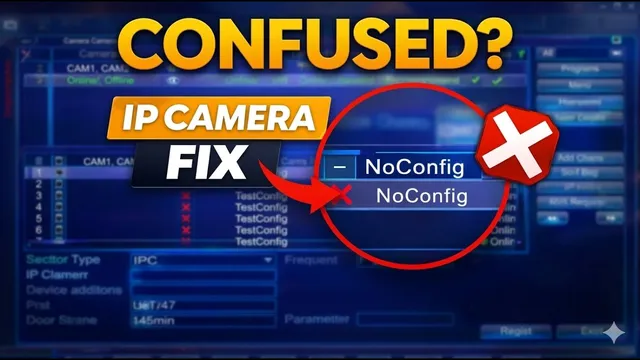
Struggling to Add IP Cameras? Xmeye NVR Management Screen Explained!
Описание SEC.RU
По нашему материалу и сохранённой расшифровке.
Подробное руководство по использованию экрана управления IP-камерами Xmeye: поиск, добавление, настройка сети, кодирование и ручная конфигурация для стабильной работы системы видеонаблюдения.
Interestingly, you can even add channels Interestingly, you can even add channels from an entirely different NVR or DVR from an entirely different NVR or DVR here using ONVIF, and the system will here using ONVIF, and the system will show the specific channel name from that show the specific channel name from that external device, the device type, and external device, the device type, and the specific external channel number the specific external channel number being used.
To start, simply right click and select quick set from the floating and select quick set from the floating menu to access the camera management menu to access the camera management area.
Читать материал по расшифровке
Описание автора
⚠️ Your security camera might be exposed online without you knowing.
Check it now:
👉 https://youtu.be/sXe3rgLjE48
Are you struggling to get your IP cameras showing up on your NVR? In this video, I walk you through every single feature of the Xmeye IP Camera Management screen to help you build a stable security system.
Whether you are using an NVR, DVR, or XVR, mastering these settings is the key to avoiding connection drops and ensuring 24/7 surveillance.
✅ *What you will learn in this video:*
* How to use the Quick Set feature to find cameras instantly.
* The difference between NETIP and ONVIF protocols.
* Why you should ALWAYS use Static IPs instead of Auto Assigned (DHCP).
* How to add cameras from different brands using ONVIF.
* Tips for using the Encode and Copy To buttons to save time and storage.
* Manual configuration for hidden or stubborn cameras.
⏳ *Chapters*
0:00 Introduction to Xmeye Interface
0:22 NVR vs DVR/XVR Compatibility
0:35 Accessing the Camera Management Screen
0:45 Understanding Device Lists and Protocols (NETIP/ONVIF)
1:18 How to Search and Add Cameras
1:30 Network Settings: Static IP vs Auto Assigned
1:57 Using Quick Set for Automatic Setup
2:13 Managing Active Channels and Connection Status
2:30 Adding External Devices via ONVIF
2:42 Deleting and Clearing Channels
2:52 Encode Settings: Increasing Recording Time
3:09 Using the "Copy To" Tool for Batch Settings
3:27 Reorganizing Channels and Manual Editing
4:05 Final Tips and Technical Support
Support our channel and get professional help:
👉 Subscribe here: https://www.youtube.com/@UedersonSecurityLab?sub_confirmation=1
📞 Free Technical Support for Subscribers: https://wa.me/5524981690034
#Xmeye #IPCamera #NVR #SecuritySystem #CCTV #TechTutorial #ONVIF #UedersonSecurityLab