
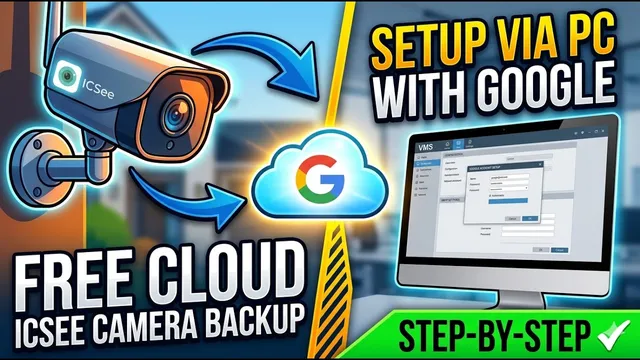
How to Get FREE Cloud Storage on ICSee Cameras (Step-by-Step Using PC)
Описание SEC.RU
По нашему материалу и сохранённой расшифровке.
Узнайте, как настроить камеры ICSee для бесплатной загрузки снимков в облако через Google-аккаунт, Gmail-фильтры и ПО VMS. Пошаговая инструкция с проверкой и важными замечаниями.
In this video, we'll show you how to set up ICC cameras on a computer so they can up ICC cameras on a computer so they can upload footage to the cloud for free.
If you watched our previous video, but you watched our previous video, but couldn't get your camera set up, don't couldn't get your camera set up, don't worry.
Читать материал по расшифровке
Описание автора
Want to save your security camera footage to the cloud without paying a monthly fee? In this video, we'll show you exactly how to set up your ICSee cameras on a computer so they can upload images and footage to the cloud completely for free using your Google account!
Whether you couldn't get it working before or you're brand new to this setup, follow along step-by-step as we configure Google App Passwords, Gmail filters, and the VMS software.
📥 DOWNLOAD THE VMS SOFTWARE:
To get the safe, reliable, and most up-to-date version of the VMS software, please contact our technical support directly via WhatsApp. The program is free for all our subscribers! Just send us a message to receive the direct link.
🔴 Subscribe for more security camera tips and tech guides:
https://www.youtube.com/@UedersonSecurityLab?sub_confirmation=1
💬 Need technical assistance or have questions? Contact our Support:
https://wa.me/5524981690034
✅ *What you will learn in this video:*
* How to configure your Google Account with 2-Step Verification.
* How to generate a secure App Password for your security camera.
* Setting up automatic Gmail filters to manage your storage.
* How to use the VMS software on your computer to manage ICSee cameras.
* Configuring SMTP server settings (smtp.gmail.com) for reliable alerts.
* Testing and confirming free cloud snapshot backups.
⏳ *Chapters*
0:00 How to get Free Cloud Storage on ICSee Cameras
0:24 Configuring Google Account & 2-Step Verification
1:40 Generating Google App Passwords
2:27 Creating Gmail Filters for Storage Management
2:59 Downloading and Logging into VMS Software
4:07 Turning on Motion Detection & Email Alerts
4:29 Setting up SMTP Gmail Server Settings in VMS
5:39 Testing the Setup & Free Cloud Storage Rules
6:38 Important Disclaimer: Backup vs. Memory Card
#ICSee #FreeCloudStorage #SecurityCamera #CCTV #VMS #GmailSMTP #TechTutorial #UedersonSecurityLab