
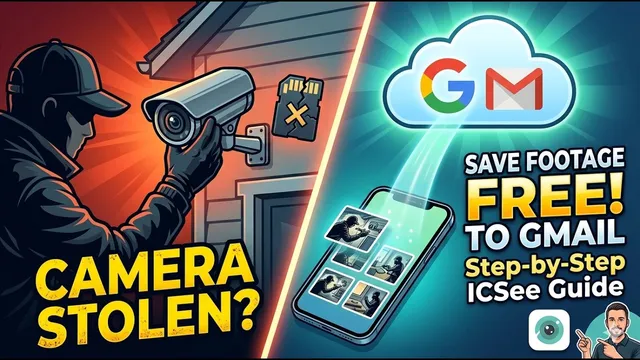
How to Get FREE Cloud Storage on ICSee Cameras using Gmail
Описание SEC.RU
По нашему материалу и сохранённой расшифровке.
Узнайте, как настроить бесплатное облачное резервное копирование для камер ICSee с помощью Gmail и SMTP. Защитите записи от кражи или поломки SD-карты.
In the center field, you must type the Gmail address that the camera type the Gmail address that the camera will use.
You can use your personal one, but we recommend creating personal one, but we recommend creating a new Gmail account specifically for a new Gmail account specifically for your camera.
Читать материал по расшифровке
Описание автора
Stolen or broken security cameras shouldn't mean losing your evidence! In this video, I'll show you a professional "trick" to save your ICSee camera images for free on the internet using a standard Gmail account.
This creates a powerful off-site backup that protects your footage even if the thief takes the camera or the SD card fails.
✅ *What you will learn in this video:*
* Why physical backups (SD cards) are a security risk.
* How to properly configure a Google Account for security devices.
* Setting up 2-Step Verification and App Passwords for SMTP.
* Step-by-step ICSee app configuration for email alerts.
* How to access your free cloud footage from anywhere.
⏳ *Chapters*
0:00 - The risk of losing your SD card footage
0:25 - Preparing your Google Account (Gmail)
1:06 - Enabling 2-Step Verification
2:15 - Generating a unique Google App Password
2:50 - Configuring the ICSee App settings
3:20 - SMTP Server and Port settings for Gmail
4:03 - Testing the backup and final tips
🚀 SUBSCRIBE for more security tips:
https://www.youtube.com/@UedersonSecurityLab?sub_confirmation=1
🆘 NEED HELP? Contact our Free Technical Support (Subscribers only):
https://wa.me/5524981690034
#ICSee #SecurityCamera #CloudStorage #HomeSecurity #TechTutorial #CCTV #FreeBackup #UedersonSecurityLab